
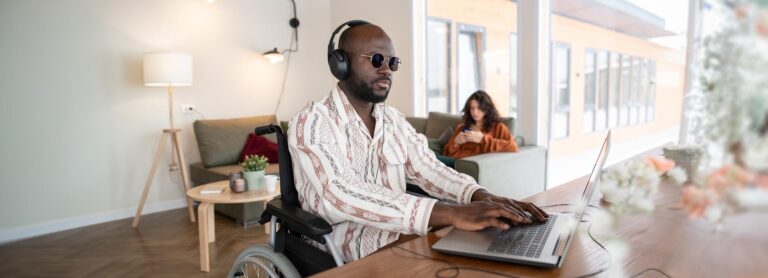

Digital accessibility is a crucial aspect of building an inclusive online environment, enabling people with different types of functional diversity (a more inclusive term for disability) to interact, learn, and work independently. Among the various functional differences that can affect web navigation, visual impairment presents specific challenges that require appropriate technological solutions.
Here are five essential digital accessibility tools for people with visual impairments:
Also known as NonVisual Desktop Access, this tool is compatible with most operating systems and can run on computers of all sizes, from the most basic to the most advanced. It allows blind or visually impaired users to read the screen using speech synthesizers or Braille, offering significant autonomy.
Job Access With Speech is the world’s most popular screen reader. Developed by Microsoft, JAWS is a software that remains invisible during use, allowing voice commands to read windows and menus, providing information about bar and button functions. It requires a license, and the free version only works in forty-minute sessions that require a new login.
Was created to help people who are blind or have limited vision.
The app is made up of a global community of people who are blind or have limited vision, along with volunteers without visual impairments. Through video calls, volunteers provide visual assistance to blind and visually impaired people in situations ranging from matching colors to checking if the lights are on or preparing dinner. The app is free and available on both iOS and Android.
Is an accessibility feature that helps people who are blind or have low vision interact with Android devices using spoken and touch feedback. When activated, it uses voice support to provide audio feedback, helping those with low or no vision select options in smartphone menus. When choosing an app or option, the device emits a descriptive sound, letting the user know what is being selected on the screen. Additionally, the system provides battery status information, identifies icons on the screen, and even reads WhatsApp messages.
It is the iPhone’s text-to-speech feature, included in the device’s accessibility options. Developed primarily for Mac, the tool is a powerful accessibility tool for the visually impaired. It can describe everything in the interface through simple gestures.
These digital accessibility tools are essential to ensuring that people with visual impairments can fully utilize the opportunities offered by technology. From screen readers to OCR applications and audiobook platforms, the diversity of available tools allows for a more inclusive and independent digital experience.
Be sure to share this information with those who need it.
T2M – Test to Market is not affiliated with or has any commercial relationships with the companies mentioned above. The sole purpose of this article is to provide information on some of the tools and technologies available to people with visual accessibility issues.
© T2M 2023-2025 | All rights reserved
T2M – Test to Market
Acreditamos firmemente que a Internet deve estar disponível e acessível a qualquer pessoa e estamos comprometidos em fornecer um site acessível ao público mais amplo possível, independentemente das circunstâncias e habilidades.
Para cumprir isso, pretendemos aderir o mais estritamente possível às Diretrizes de Acessibilidade de Conteúdo da Web 2.1 (WCAG 2.1) do World Wide Web Consortium (W3C) no nível AA. Essas diretrizes explicam como tornar o conteúdo da Web acessível a pessoas com uma ampla variedade de deficiências. O cumprimento dessas diretrizes nos ajuda a garantir que o site seja acessível a todas as pessoas: cegos, deficientes motores, deficientes visuais, deficientes cognitivos e muito mais.
Este site utiliza várias tecnologias destinadas a torná-lo o mais acessível possível em todos os momentos. Utilizamos uma interface de acessibilidade que permite que pessoas com deficiências específicas ajustem a interface do usuário do site (interface do usuário) e o projetem de acordo com suas necessidades pessoais.
Além disso, o site utiliza um aplicativo baseado em IA que é executado em segundo plano e otimiza seu nível de acessibilidade constantemente. Este aplicativo corrige o HTML do site, adapta sua funcionalidade e comportamento para leitores de tela usados por usuários cegos e para funções de teclado usadas por pessoas com deficiência motora.
Se você encontrou um defeito ou tem ideias para melhorias, ficaremos felizes em ouvi-lo. Você pode entrar em contato com os operadores do site usando o seguinte e-mail: wp.t2m@t2mlab.com
Nosso site implementa a técnica de atributos ARIA (Accessible Rich Internet Applications), juntamente com várias mudanças comportamentais diferentes, para garantir que os usuários cegos que visitam com leitores de tela possam ler, compreender e aproveitar as funções do site. Assim que um usuário com um leitor de tela entra em seu site, ele imediatamente recebe uma solicitação para inserir o perfil do leitor de tela para que possa navegar e operar seu site com eficiência. Veja como nosso site cobre alguns dos requisitos mais importantes do leitor de tela, juntamente com capturas de tela do console de exemplos de código:
Otimização do leitor de tela:
executamos um processo em segundo plano que aprende os componentes do site de cima para baixo, para garantir a conformidade contínua, mesmo ao atualizar o site. Nesse processo, fornecemos aos leitores de tela dados significativos usando o conjunto de atributos ARIA. Por exemplo, fornecemos rótulos de formulário precisos; descrições de ícones acionáveis (ícones de mídia social, ícones de pesquisa, ícones de carrinho, etc.); orientação de validação para entradas de formulário; papéis de elementos como botões, menus, diálogos modais (pop-ups) e outros. Além disso, o processo em segundo plano verifica todas as imagens do site e fornece uma descrição precisa e significativa baseada em reconhecimento de objeto de imagem como uma tag ALT (texto alternativo) para imagens que não são descritas. Ele também irá extrair textos que estão embutidos na imagem, usando uma tecnologia OCR (reconhecimento óptico de caracteres). Para ativar os ajustes do leitor de tela a qualquer momento, os usuários precisam apenas pressionar a combinação de teclado Alt+1. Os usuários de leitores de tela também recebem anúncios automáticos para ativar o modo de leitor de tela assim que entram no site.
Esses ajustes são compatíveis com todos os leitores de tela populares, incluindo JAWS e NVDA.
Otimização da navegação do teclado: O processo em segundo plano também ajusta o HTML do site e adiciona vários comportamentos usando o código JavaScript para tornar o site operável pelo teclado. Isso inclui a capacidade de navegar no site usando as teclas Tab e Shift+Tab, operar menus suspensos com as teclas de seta, fechá-los com Esc, acionar botões e links usando a tecla Enter, navegar entre elementos de rádio e caixa de seleção usando as teclas de seta e preencha-os com a barra de espaço ou a tecla Enter. Além disso, os usuários de teclado encontrarão menus de navegação rápida e salto de conteúdo, disponíveis a qualquer momento clicando em Alt+1 ou como os primeiros elementos do site ao navegar com o teclado. O processo em segundo plano também lida com pop-ups acionados movendo o foco do teclado em direção a eles assim que eles aparecem e não permite que o foco se desvie para fora dele.
Os usuários também podem usar atalhos como “M” (menus), “H” (títulos), “F” (formulários), “B” (botões) e “G” (gráficos) para pular para elementos específicos.
Nosso objetivo é oferecer suporte à maior variedade possível de navegadores e tecnologias assistivas, para que nossos usuários possam escolher as ferramentas que melhor se adaptam a eles, com o mínimo de limitações possível. Portanto, trabalhamos muito para poder oferecer suporte a todos os principais sistemas que compreendem mais de 95% da participação no mercado de usuários, incluindo Google Chrome, Mozilla Firefox, Apple Safari, Opera e Microsoft Edge, JAWS e NVDA (leitores de tela), ambos para Windows e para usuários de MAC.
Apesar dos nossos melhores esforços para permitir que qualquer pessoa ajuste o site às suas necessidades, ainda pode haver páginas ou seções que não sejam totalmente acessíveis, estejam em processo de acessibilidade ou careçam de uma solução tecnológica adequada para torná-las acessíveis. Ainda assim, estamos melhorando continuamente nossa acessibilidade, adicionando, atualizando e aprimorando suas opções e recursos, desenvolvendo e adotando novas tecnologias. Tudo isso para atingir o nível ideal de acessibilidade, acompanhando os avanços tecnológicos. Para qualquer ajuda, entre em contato com: wp.t2m@t2mlab.com